
# onenet
https://open.iot.10086.cn/登录,18030293927/Faith123!@#
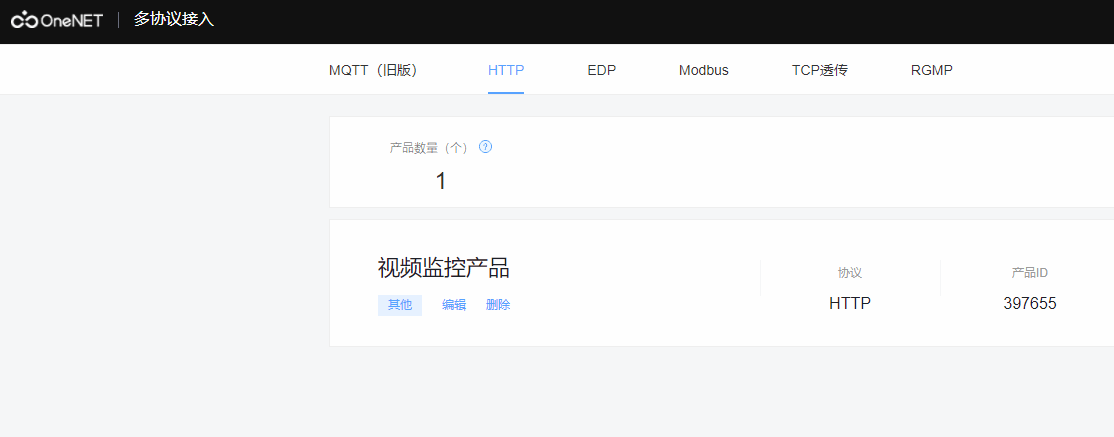
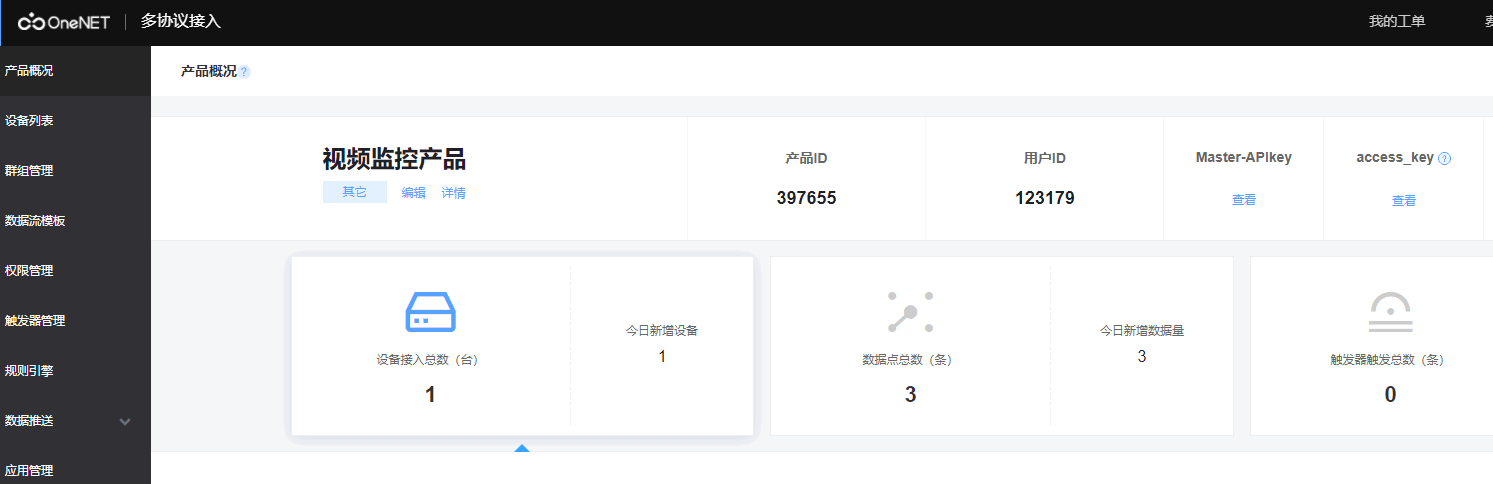
新建多协议接入类型产品,
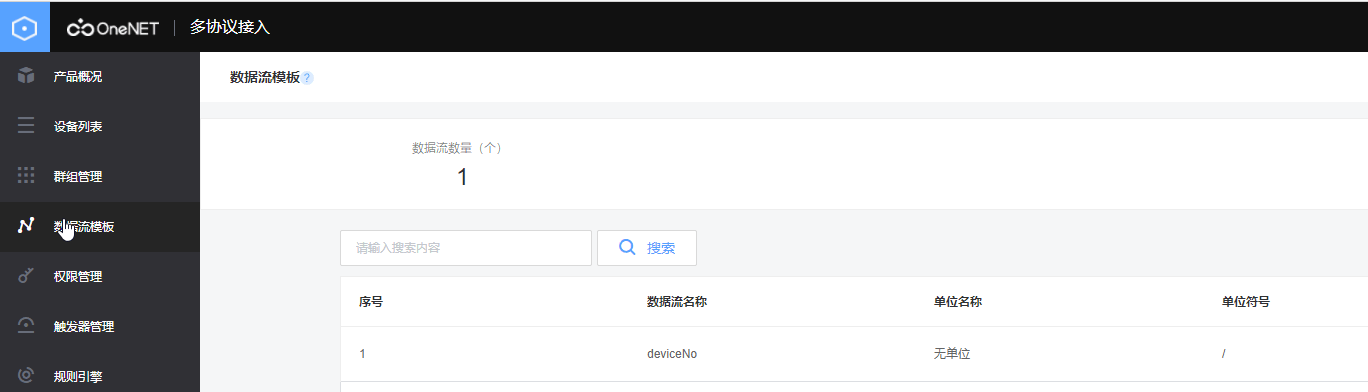
新建数据流模板
- 调用接口:新增数据点
- 请求方式:POST
- URL:http://api.heclouds.com/devices/device_id/datapoints
- device_id:需要替换为设备ID
# http body参数
参数名称|格式|是否必须|说明 ----|----|---- datastreams|array-json|是|设备数据流信息的json数组,见datastreams描述表
# datastreams描述表
| 参数名称 | 格式 | 是否必须 | 说明 |
|---|---|---|---|
| id | string | 是 | 数据流或者数据流模板名称 |
| datapoints | array-json | 是 | 数据点。可以一次性向设备云上传多个数据流,每个数据流中可以包括多个数据点,见datapoints描述表 |
# datapoints描述表
| 参数名称 | 格式 | 是否必须 | 说明 |
|---|---|---|---|
| at | date | 否 | 上传数据点时间。如果为空,则设备云会取当前时间。如果存在其格式必须为"YYYY-MM-DDThh:mm:ss"的形式(例如:2015-03-22T22:31:12) |
| value | string/int/json... | 是 | 数据的值 |
{
    "datastreams": [{
            "id": "temperature",
            "datapoints": [{
                    "at": "2013-04-22T00:35:43",
                    "value": "bacd"
                },
                {
                    "at": "2013-04-22T00:55:43",
                    "value": 84
                }
            ]
        },
        {
            "id": "key",
            "datapoints": [{
                    "at": "2013-04-22T00:35:43",
                    "value": {
                        "x": 123,
                        "y": 123.994
                    }
                },
                {
                    "at": "2013-04-22T00:35:43",
                    "value": 23.001
                }
            ]
        }
    ]
}
1
2
3
4
5
6
7
8
9
10
11
12
13
14
15
16
17
18
19
20
21
22
23
24
25
26
27
28
29
30
2
3
4
5
6
7
8
9
10
11
12
13
14
15
16
17
18
19
20
21
22
23
24
25
26
27
28
29
30
String originalUrl = "http://api.heclouds.com/devices/IMEI/datapoints";
LocalDateTime now = LocalDateTime.now();
devices.forEach(item -> {
    if (StringUtils.isAnyBlank(item.getApiId(), item.getApiKey())) {
        return;
    }
    String upUrl = originalUrl.replace("IMEI", item.getApiId());
    Map<String, String> headers = new HashMap<>(4);
    headers.put("api-key", item.getApiKey());
    // 构造body
    JSONObject dataJson = new JSONObject();
    JSONObject streamJson = new JSONObject();
    JSONObject requestJson = new JSONObject();
    dataJson.put("at", now.format(DateTimeFormatter.ofPattern("yyyy-MM-dd'T'HH:mm:ss")));
    dataJson.put("value", item.getNo());
    // 固定的数据流id
    streamJson.put("id", "deviceNo");
    streamJson.put("datapoints", Lists.newArrayList(dataJson));
    requestJson.put("datastreams", Lists.newArrayList(streamJson));
    HttpUtils.postJson(upUrl, requestJson.toString(), headers, null);
});
1
2
3
4
5
6
7
8
9
10
11
12
13
14
15
16
17
18
19
20
21
2
3
4
5
6
7
8
9
10
11
12
13
14
15
16
17
18
19
20
21
public static HttpResult postJson(String url, String json, Map<String, String> headers, String charset) {
    final String funName = "postJson()";
    log.info(funName + ".begin");
    try {
        log.info("接口url:" + url);
        if (StringUtils.isBlank(charset)) {
            charset = UTF8;
        }
        HttpPost method = new HttpPost(url);
        // 设置body
        if (StringUtils.isNotEmpty(json)) {
            StringEntity entity = new StringEntity(json, ContentType.APPLICATION_JSON);
            method.setEntity(entity);
        }
        HttpResult ret = execute(url, method, headers, charset);
        return ret;
    } catch (Exception e) {
        log.error(funName, e);
        return new HttpResult(HttpStatus.SC_INTERNAL_SERVER_ERROR, "请求失败");
    } finally {
        log.info(funName + ".end");
    }
}
1
2
3
4
5
6
7
8
9
10
11
12
13
14
15
16
17
18
19
20
21
22
23
2
3
4
5
6
7
8
9
10
11
12
13
14
15
16
17
18
19
20
21
22
23
private static HttpResult execute(String url, HttpRequestBase method,
                                      Map<String, String> headers, String charset) throws IOException {

    HttpResult ret = new HttpResult();

    HttpClient client = null;
    // https 独立创建连接
    if (url.toLowerCase().startsWith("https://")) {
        // 不需要证书,信任该地址
        client = sslClient();
    } else {
        client = HttpClientBuilder.create().build();
    }
    method.setConfig(requestConfig);
    // 添加header
    if (null != headers) {
        Set<Entry<String, String>> keys = headers.entrySet();
        keys.forEach(entry -> method.addHeader(entry.getKey(), entry.getValue()));
    }
    HttpResponse response = client.execute(method);
    int code = response.getStatusLine().getStatusCode();
    ret.setCode(code);
    // 解析数据
    String data = EntityUtils.toString(response.getEntity(), charset);
    ret.setResult(data);
    // 非200时,输出错误日志
    if (code != HttpStatus.SC_OK) {
        log.error("接口调用异常,code:{}, data:{}", code, data);
    }
    log.debug("接口返回状态:" + code);
    log.debug("接口返回值:" + ret.getResult());
    return ret;
}
1
2
3
4
5
6
7
8
9
10
11
12
13
14
15
16
17
18
19
20
21
22
23
24
25
26
27
28
29
30
31
32
33
2
3
4
5
6
7
8
9
10
11
12
13
14
15
16
17
18
19
20
21
22
23
24
25
26
27
28
29
30
31
32
33