
# 缩放平移组件
# InteractiveViewer
InteractiveViewer(
  child: Image.asset('assets/images/go_board_09x09.png'),
)
1
2
3
2
3
- alignPanAxis 参数表示是否只在水平和垂直方向上拖拽,默认为 false,设置为 true,无法沿着对角线(斜着)方向移动。
- maxScale 、minScale、scaleEnabled 是缩放相关参数,分别表示最大缩放倍数、最小缩放倍数、是否可以缩放
- constrained 参数表示组件树中的约束是否应用于子组件,默认为 true,如果设为 true,表示子组件是无限制约束,这对子组件的尺寸比 InteractiveViewer 大时非常有用,比如子组件为滚动系列组件。
如下的案例,子组件为 Table,Table 尺寸大于屏幕,必须将 constrained 设置为 false 以便将其绘制为完整尺寸。超出的屏幕尺寸可以平移到视图中
class InteractiveViewerDemo extends StatelessWidget {
Widget build(BuildContext context) {
const int _rowCount = 20;
const int _columnCount = 10;
return Scaffold(
appBar: AppBar(),
body: Center(
child: Container(
height: 300,
width: 300,
child: InteractiveViewer(
constrained: false,
child: Table(
columnWidths: <int, TableColumnWidth>{
for (int column = 0; column < _columnCount; column += 1)
column: const FixedColumnWidth(100.0),
},
children: <TableRow>[
for (int row = 0; row < _rowCount; row += 1)
TableRow(
children: <Widget>[
for (int column = 0; column < _columnCount; column += 1)
Container(
height: 50,
color: row % 2 + column % 2 == 1
? Colors.red
: Colors.green,
),
],
),
],
),
),
),
),
);
}
}
1
2
3
4
5
6
7
8
9
10
11
12
13
14
15
16
17
18
19
20
21
22
23
24
25
26
27
28
29
30
31
32
33
34
35
36
37
38
39
2
3
4
5
6
7
8
9
10
11
12
13
14
15
16
17
18
19
20
21
22
23
24
25
26
27
28
29
30
31
32
33
34
35
36
37
38
39
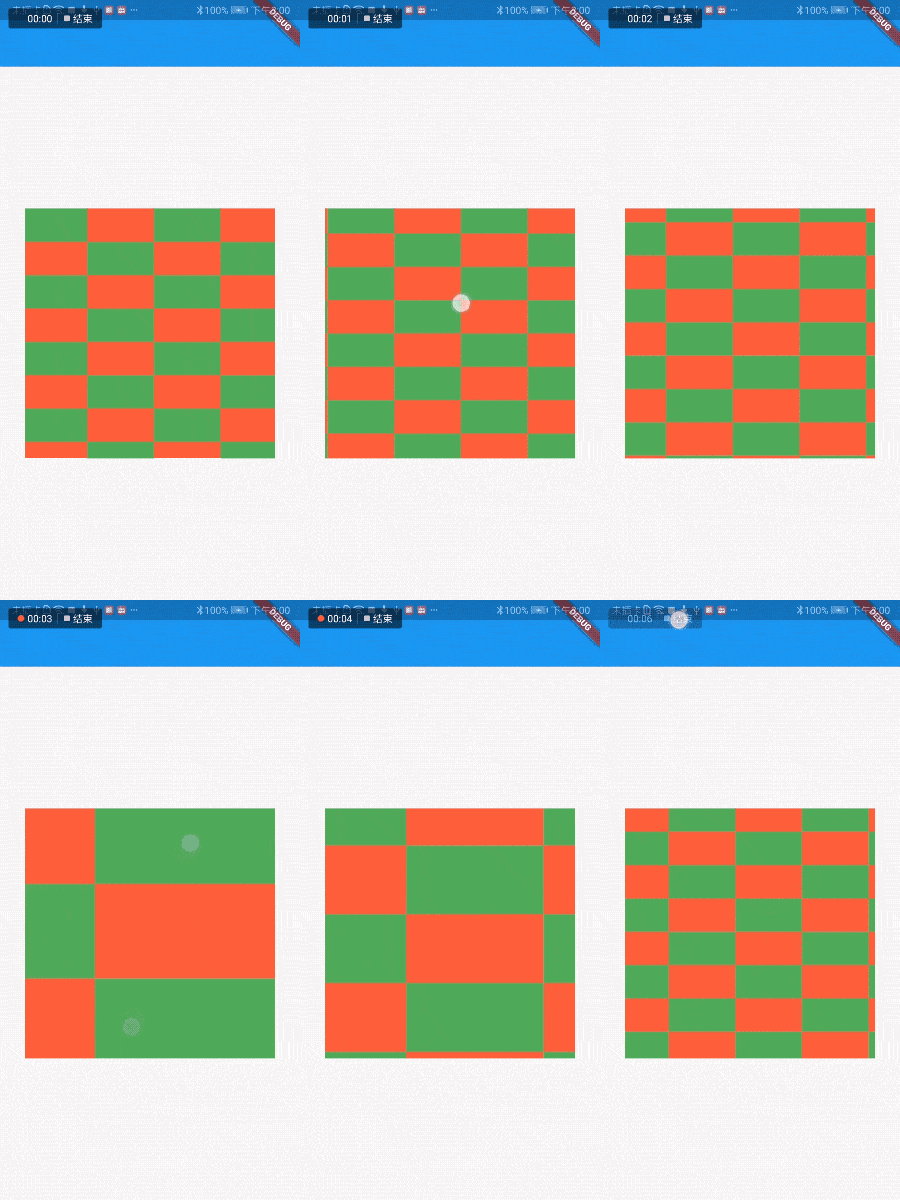
回调事件:
- onInteractionStart:当用户开始平移或缩放手势时调用。
- onInteractionUpdate:当用户更新组件上的平移或缩放手势时调用。
- onInteractionEnd:当用户在组件上结束平移或缩放手势时调用。
通过 Matrix4 矩阵对其进行变换,比如左移、放大等,添加变换控制器:
final TransformationController _transformationController =
      TransformationController();

InteractiveViewer(
  child: Image.asset('assets/images/go_board_09x09.png'),
  transformationController: _transformationController,
)
1
2
3
4
5
6
7
2
3
4
5
6
7